
Commercial Alarm Installers: Business Security Planning Guide

Choosing the right commercial alarm installer involves more than comparing equipment or selecting a basic package. A business alarm system should be designed around the property, operating schedule, employee activity, vulnerable openings, monitoring requirements, and plans for future growth.
Warehouses, manufacturing facilities, offices, retail properties, healthcare facilities, schools, municipal buildings, and multi-site organizations can all require very different intrusion protection strategies.
This guide explains what businesses should consider when evaluating commercial alarm systems and the companies that install and support them.
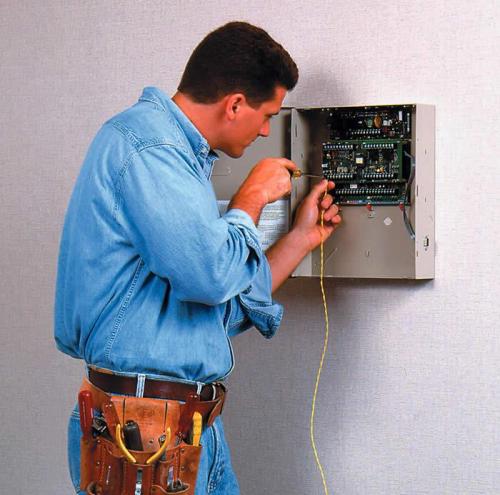
What Does a Commercial Alarm Installer Do?
A commercial alarm installer evaluates the property and determines how intrusion detection should be applied throughout the building.
A properly planned system may include:
- Door and window contacts
- Interior motion detectors
- Glass break detectors
- Overhead-door contacts
- Panic and duress devices
- Alarm keypads
- Wireless receivers
- Cellular or IP communicators
- Backup batteries
- Professional alarm monitoring
The installer should also consider how the alarm system will operate after the installation is complete.
That includes user management, alarm reporting, response procedures, serviceability, and future expansion.
Start With the Property
Commercial alarm planning should begin with the building.
Areas commonly reviewed include:
- Main entrances
- Employee entrances
- Rear service doors
- Loading docks
- Overhead doors
- Ground-floor windows
- Interior corridors
- Warehouse aisles
- Stockrooms
- Server rooms
- Tool rooms
- High-value inventory
- Mechanical rooms
- Roof hatches
- Exterior gates
Each location may require a different type of detection.
A standard office entrance, for example, should not necessarily use the same device as a warehouse roll-up door.
Door and Opening Protection
Doors and openings are often the first layer of commercial intrusion protection.
Depending on the property, equipment may include:
- Recessed contacts
- Surface-mounted contacts
- Heavy-duty industrial contacts
- Overhead-door contacts
- Gate contacts
- Roof-hatch contacts
The device should be selected around the construction and use of the opening.
Interior Motion Detection
Motion detectors provide another layer of protection if someone enters a secured facility.
They may be installed in:
- Offices
- Hallways
- Warehouses
- Shipping areas
- Stockrooms
- Equipment rooms
- Restricted areas
Detector placement should consider ceiling height, shelving, machinery, HVAC conditions, and normal travel paths through the building.
Glass Break Detection
Properties with accessible exterior glass may benefit from glass break protection.
Potential locations include:
- Storefront windows
- Ground-floor offices
- Glass entrances
- Reception areas
- Display areas
Glass break detection can supplement door contacts and interior motion detection as part of a layered system.
Panic and Duress Protection
Some businesses may also require employee emergency devices.
Panic or duress devices can be considered for:
- Reception desks
- Cash-handling locations
- Customer service counters
- Administrative offices
- Healthcare reception areas
- Security desks
Depending on the application, devices may be fixed or wireless and may be configured for different types of response.
Wired, Wireless, or Hybrid Alarm Systems
Commercial systems can use several types of device communication.
Wired Alarm Systems
Hardwired devices can be a strong choice where security cabling already exists or can be installed efficiently.
Benefits may include:
- Stable communication
- Reduced battery maintenance
- Good suitability for permanent installations
Wireless Alarm Systems
Wireless devices can be useful where running new cable would be difficult or disruptive.
Common applications include:
- Finished offices
- Renovated spaces
- Remote doors
- Added storage areas
- Panic devices
Hybrid Alarm Systems
Many commercial properties benefit from using both.
A hybrid system may preserve reliable existing hardwired equipment while allowing wireless devices to be added where they make sense.
Alarm Partitions
Partitions allow different portions of a facility to arm and disarm independently.
For example:
Office Area
Can arm when administrative staff leaves.
Warehouse Area
Can remain active until shipping operations finish.
Server Room
Can remain protected separately.
High-Value Storage
Can remain armed while other areas are occupied.
Partitions can be especially useful for companies with multiple shifts or departments.
Individual User Codes
Commercial systems should support individual user codes whenever practical.
Individual codes can help determine:
- Who armed the system
- Who disarmed it
- When activity occurred
- Who entered after hours
Shared codes provide much less accountability.
Alarm Communication
A professionally monitored alarm system requires a reliable communication path.
Common options include:
- Cellular
- Ethernet/IP
- Dual-path cellular and IP
- Other compatible communication technologies
The communication method should be selected around the facility, available infrastructure, and desired level of redundancy.
Professional Alarm Monitoring
Monitoring provides a way for alarm events to be transmitted when the property is unattended.
Businesses should establish:
- Primary contacts
- Secondary contacts
- Escalation procedures
- After-hours instructions
- Panic procedures
- Communication-failure procedures
Alarm zones should also have meaningful descriptions.
For example:
Rear Warehouse Overhead Door
is significantly more useful than:
Zone 14.
Video Verification
Intrusion alarms can also be coordinated with video surveillance.
Cameras may provide additional information around:
- Entrances
- Loading docks
- Warehouse interiors
- Parking areas
- Restricted rooms
- Exterior approaches
Where compatible technology is used, alarm activity may be associated with nearby camera views or recorded video.
Access Control Integration
Alarm systems can also coordinate with access control.
Possible benefits include:
- Forced-door detection
- Door-held-open alerts
- Better after-hours access management
- Credential activity associated with alarm events
- Reduced employee errors
This can be particularly useful for larger commercial and industrial facilities.
Plan for Power Loss
Alarm installers should also consider what happens during an electrical outage.
Planning may include:
- Alarm-panel standby batteries
- Backup power for communicators
- Auxiliary power supplies
- UPS protection for supporting network equipment
- Generator-supported circuits where available
The complete alarm and communication path should be considered.
Plan for Future Expansion
A commercial alarm system should have reasonable room for growth.
Future additions may include:
- More doors
- Additional motion detectors
- New offices
- Expanded warehouse space
- Additional users
- More partitions
- Wireless devices
- Additional buildings
- Video integration
- Access control integration
Selecting equipment with no spare capacity can lead to unnecessary replacement later.
Existing Alarm System Takeovers
A business moving into an existing facility may already have alarm equipment.
Before replacing everything, an installer can evaluate:
- Existing wiring
- Door contacts
- Motion detectors
- Keypads
- Alarm panels
- Wireless devices
- Communication equipment
Some infrastructure may remain useful while outdated equipment is replaced.
Alarm Upgrades and Retrofits
Older systems can often be modernized without complete replacement.
Possible improvements include:
- New alarm control panel
- Modern keypads
- Cellular communication
- IP communication
- Dual-path reporting
- Additional partitions
- Wireless expansion
- Improved user management
- Replacement sensors
A good retrofit preserves reliable equipment where appropriate while correcting obsolete or underperforming components.
Questions to Ask a Commercial Alarm Installer
Before selecting an installer or system, consider asking:
- How will the property be assessed?
- Which openings require protection?
- Are separate alarm partitions recommended?
- Should the system be wired, wireless, or hybrid?
- Can existing wiring be reused?
- What communication options are available?
- How is backup power handled?
- Can video verification be incorporated?
- Can the alarm system coordinate with access control?
- How much expansion capacity will remain?
- How are future service and system changes handled?
The answers can help determine whether the proposed system is being designed around the business or simply sold as a standard package.
Choosing a Commercial Alarm System
The right commercial alarm system is not necessarily the system with the most devices.
It is the system that fits the building, operating schedule, employees, monitoring requirements, communication infrastructure, and future plans of the organization.
For more information about commercial intrusion detection, monitoring, alarm upgrades, and professionally designed business alarm systems, visit Commercial & Industrial Alarm Installation from Northeast Remote Surveillance and Alarm.
A professional assessment can help determine the appropriate combination of perimeter protection, interior detection, panic protection, communication, monitoring, and expansion capacity before equipment is selected.
Commercial Alarm Installers: Business Security Planning Guide
Choosing the right commercial alarm installer involves more than comparing equipment or selecting a basic package. A business alarm system should be designed around the property, operating schedule, employee activity, vulnerable openings, monitoring requirements, and plans for future growth.
Warehouses, manufacturing facilities, offices, retail properties, healthcare facilities, schools, municipal buildings, and multi-site organizations can all require very different intrusion protection strategies.
This guide explains what businesses should consider when evaluating commercial alarm systems and the companies that install and support them.
What Does a Commercial Alarm Installer Do?
A commercial alarm installer evaluates the property and determines how intrusion detection should be applied throughout the building.
A properly planned system may include:
- Door and window contacts
- Interior motion detectors
- Glass break detectors
- Overhead-door contacts
- Panic and duress devices
- Alarm keypads
- Wireless receivers
- Cellular or IP communicators
- Backup batteries
- Professional alarm monitoring
The installer should also consider how the alarm system will operate after the installation is complete.
That includes user management, alarm reporting, response procedures, serviceability, and future expansion.
Start With the Property
Commercial alarm planning should begin with the building.
Areas commonly reviewed include:
- Main entrances
- Employee entrances
- Rear service doors
- Loading docks
- Overhead doors
- Ground-floor windows
- Interior corridors
- Warehouse aisles
- Stockrooms
- Server rooms
- Tool rooms
- High-value inventory
- Mechanical rooms
- Roof hatches
- Exterior gates
Each location may require a different type of detection.
A standard office entrance, for example, should not necessarily use the same device as a warehouse roll-up door.
Door and Opening Protection
Doors and openings are often the first layer of commercial intrusion protection.
Depending on the property, equipment may include:
- Recessed contacts
- Surface-mounted contacts
- Heavy-duty industrial contacts
- Overhead-door contacts
- Gate contacts
- Roof-hatch contacts
The device should be selected around the construction and use of the opening.
Interior Motion Detection
Motion detectors provide another layer of protection if someone enters a secured facility.
They may be installed in:
- Offices
- Hallways
- Warehouses
- Shipping areas
- Stockrooms
- Equipment rooms
- Restricted areas
Detector placement should consider ceiling height, shelving, machinery, HVAC conditions, and normal travel paths through the building.
Glass Break Detection
Properties with accessible exterior glass may benefit from glass break protection.
Potential locations include:
- Storefront windows
- Ground-floor offices
- Glass entrances
- Reception areas
- Display areas
Glass break detection can supplement door contacts and interior motion detection as part of a layered system.
Panic and Duress Protection
Some businesses may also require employee emergency devices.
Panic or duress devices can be considered for:
- Reception desks
- Cash-handling locations
- Customer service counters
- Administrative offices
- Healthcare reception areas
- Security desks
Depending on the application, devices may be fixed or wireless and may be configured for different types of response.
Wired, Wireless, or Hybrid Alarm Systems
Commercial systems can use several types of device communication.
Wired Alarm Systems
Hardwired devices can be a strong choice where security cabling already exists or can be installed efficiently.
Benefits may include:
- Stable communication
- Reduced battery maintenance
- Good suitability for permanent installations
Wireless Alarm Systems
Wireless devices can be useful where running new cable would be difficult or disruptive.
Common applications include:
- Finished offices
- Renovated spaces
- Remote doors
- Added storage areas
- Panic devices
Hybrid Alarm Systems
Many commercial properties benefit from using both.
A hybrid system may preserve reliable existing hardwired equipment while allowing wireless devices to be added where they make sense.
Alarm Partitions
Partitions allow different portions of a facility to arm and disarm independently.
For example:
Office Area
Can arm when administrative staff leaves.
Warehouse Area
Can remain active until shipping operations finish.
Server Room
Can remain protected separately.
High-Value Storage
Can remain armed while other areas are occupied.
Partitions can be especially useful for companies with multiple shifts or departments.
Individual User Codes
Commercial systems should support individual user codes whenever practical.
Individual codes can help determine:
- Who armed the system
- Who disarmed it
- When activity occurred
- Who entered after hours
Shared codes provide much less accountability.
Alarm Communication
A professionally monitored alarm system requires a reliable communication path.
Common options include:
- Cellular
- Ethernet/IP
- Dual-path cellular and IP
- Other compatible communication technologies
The communication method should be selected around the facility, available infrastructure, and desired level of redundancy.
Professional Alarm Monitoring
Monitoring provides a way for alarm events to be transmitted when the property is unattended.
Businesses should establish:
- Primary contacts
- Secondary contacts
- Escalation procedures
- After-hours instructions
- Panic procedures
- Communication-failure procedures
Alarm zones should also have meaningful descriptions.
For example:
Rear Warehouse Overhead Door
is significantly more useful than:
Zone 14.
Video Verification
Intrusion alarms can also be coordinated with video surveillance.
Cameras may provide additional information around:
- Entrances
- Loading docks
- Warehouse interiors
- Parking areas
- Restricted rooms
- Exterior approaches
Where compatible technology is used, alarm activity may be associated with nearby camera views or recorded video.
Access Control Integration
Alarm systems can also coordinate with access control.
Possible benefits include:
- Forced-door detection
- Door-held-open alerts
- Better after-hours access management
- Credential activity associated with alarm events
- Reduced employee errors
This can be particularly useful for larger commercial and industrial facilities.
Plan for Power Loss
Alarm installers should also consider what happens during an electrical outage.
Planning may include:
- Alarm-panel standby batteries
- Backup power for communicators
- Auxiliary power supplies
- UPS protection for supporting network equipment
- Generator-supported circuits where available
The complete alarm and communication path should be considered.
Plan for Future Expansion
A commercial alarm system should have reasonable room for growth.
Future additions may include:
- More doors
- Additional motion detectors
- New offices
- Expanded warehouse space
- Additional users
- More partitions
- Wireless devices
- Additional buildings
- Video integration
- Access control integration
Selecting equipment with no spare capacity can lead to unnecessary replacement later.
Existing Alarm System Takeovers
A business moving into an existing facility may already have alarm equipment.
Before replacing everything, an installer can evaluate:
- Existing wiring
- Door contacts
- Motion detectors
- Keypads
- Alarm panels
- Wireless devices
- Communication equipment
Some infrastructure may remain useful while outdated equipment is replaced.
Alarm Upgrades and Retrofits
Older systems can often be modernized without complete replacement.
Possible improvements include:
- New alarm control panel
- Modern keypads
- Cellular communication
- IP communication
- Dual-path reporting
- Additional partitions
- Wireless expansion
- Improved user management
- Replacement sensors
A good retrofit preserves reliable equipment where appropriate while correcting obsolete or underperforming components.
Questions to Ask a Commercial Alarm Installer
Before selecting an installer or system, consider asking:
- How will the property be assessed?
- Which openings require protection?
- Are separate alarm partitions recommended?
- Should the system be wired, wireless, or hybrid?
- Can existing wiring be reused?
- What communication options are available?
- How is backup power handled?
- Can video verification be incorporated?
- Can the alarm system coordinate with access control?
- How much expansion capacity will remain?
- How are future service and system changes handled?
The answers can help determine whether the proposed system is being designed around the business or simply sold as a standard package.
Choosing a Commercial Alarm System
The right commercial alarm system is not necessarily the system with the most devices.
It is the system that fits the building, operating schedule, employees, monitoring requirements, communication infrastructure, and future plans of the organization.
For more information about commercial intrusion detection, monitoring, alarm upgrades, and professionally designed business alarm systems, visit Commercial & Industrial Alarm Installation from Northeast Remote Surveillance and Alarm.
A professional assessment can help determine the appropriate combination of perimeter protection, interior detection, panic protection, communication, monitoring, and expansion capacity before equipment is selected.
Alarm Installers
Commercial Alarm Installers: Business Security Planning Guide
Choosing the right commercial alarm installer involves more than comparing equipment or selecting a basic package. A business alarm system should be designed around the property, operating schedule, employee activity, vulnerable openings, monitoring requirements, and plans for future growth.
Warehouses, manufacturing facilities, offices, retail properties, healthcare facilities, schools, municipal buildings, and multi-site organizations can all require very different intrusion protection strategies.
This guide explains what businesses should consider when evaluating commercial alarm systems and the companies that install and support them.
What Does a Commercial Alarm Installer Do?
A commercial alarm installer evaluates the property and determines how intrusion detection should be applied throughout the building.
A properly planned system may include:
- Door and window contacts
- Interior motion detectors
- Glass break detectors
- Overhead-door contacts
- Panic and duress devices
- Alarm keypads
- Wireless receivers
- Cellular or IP communicators
- Backup batteries
- Professional alarm monitoring
The installer should also consider how the alarm system will operate after the installation is complete.
That includes user management, alarm reporting, response procedures, serviceability, and future expansion.
Start With the Property
Commercial alarm planning should begin with the building.
Areas commonly reviewed include:
- Main entrances
- Employee entrances
- Rear service doors
- Loading docks
- Overhead doors
- Ground-floor windows
- Interior corridors
- Warehouse aisles
- Stockrooms
- Server rooms
- Tool rooms
- High-value inventory
- Mechanical rooms
- Roof hatches
- Exterior gates
Each location may require a different type of detection.
A standard office entrance, for example, should not necessarily use the same device as a warehouse roll-up door.
Door and Opening Protection
Doors and openings are often the first layer of commercial intrusion protection.
Depending on the property, equipment may include:
- Recessed contacts
- Surface-mounted contacts
- Heavy-duty industrial contacts
- Overhead-door contacts
- Gate contacts
- Roof-hatch contacts
The device should be selected around the construction and use of the opening.
Interior Motion Detection
Motion detectors provide another layer of protection if someone enters a secured facility.
They may be installed in:
- Offices
- Hallways
- Warehouses
- Shipping areas
- Stockrooms
- Equipment rooms
- Restricted areas
Detector placement should consider ceiling height, shelving, machinery, HVAC conditions, and normal travel paths through the building.
Glass Break Detection
Properties with accessible exterior glass may benefit from glass break protection.
Potential locations include:
- Storefront windows
- Ground-floor offices
- Glass entrances
- Reception areas
- Display areas
Glass break detection can supplement door contacts and interior motion detection as part of a layered system.
Panic and Duress Protection
Some businesses may also require employee emergency devices.
Panic or duress devices can be considered for:
- Reception desks
- Cash-handling locations
- Customer service counters
- Administrative offices
- Healthcare reception areas
- Security desks
Depending on the application, devices may be fixed or wireless and may be configured for different types of response.
Wired, Wireless, or Hybrid Alarm Systems
Commercial systems can use several types of device communication.
Wired Alarm Systems
Hardwired devices can be a strong choice where security cabling already exists or can be installed efficiently.
Benefits may include:
- Stable communication
- Reduced battery maintenance
- Good suitability for permanent installations
Wireless Alarm Systems
Wireless devices can be useful where running new cable would be difficult or disruptive.
Common applications include:
- Finished offices
- Renovated spaces
- Remote doors
- Added storage areas
- Panic devices
Hybrid Alarm Systems
Many commercial properties benefit from using both.
A hybrid system may preserve reliable existing hardwired equipment while allowing wireless devices to be added where they make sense.
Alarm Partitions
Partitions allow different portions of a facility to arm and disarm independently.
For example:
Office Area
Can arm when administrative staff leaves.
Warehouse Area
Can remain active until shipping operations finish.
Server Room
Can remain protected separately.
High-Value Storage
Can remain armed while other areas are occupied.
Partitions can be especially useful for companies with multiple shifts or departments.
Individual User Codes
Commercial systems should support individual user codes whenever practical.
Individual codes can help determine:
- Who armed the system
- Who disarmed it
- When activity occurred
- Who entered after hours
Shared codes provide much less accountability.
Alarm Communication
A professionally monitored alarm system requires a reliable communication path.
Common options include:
- Cellular
- Ethernet/IP
- Dual-path cellular and IP
- Other compatible communication technologies
The communication method should be selected around the facility, available infrastructure, and desired level of redundancy.
Professional Alarm Monitoring
Monitoring provides a way for alarm events to be transmitted when the property is unattended.
Businesses should establish:
- Primary contacts
- Secondary contacts
- Escalation procedures
- After-hours instructions
- Panic procedures
- Communication-failure procedures
Alarm zones should also have meaningful descriptions.
For example:
Rear Warehouse Overhead Door
is significantly more useful than:
Zone 14.
Video Verification
Intrusion alarms can also be coordinated with video surveillance.
Cameras may provide additional information around:
- Entrances
- Loading docks
- Warehouse interiors
- Parking areas
- Restricted rooms
- Exterior approaches
Where compatible technology is used, alarm activity may be associated with nearby camera views or recorded video.
Access Control Integration
Alarm systems can also coordinate with access control.
Possible benefits include:
- Forced-door detection
- Door-held-open alerts
- Better after-hours access management
- Credential activity associated with alarm events
- Reduced employee errors
This can be particularly useful for larger commercial and industrial facilities.
Plan for Power Loss
Alarm installers should also consider what happens during an electrical outage.
Planning may include:
- Alarm-panel standby batteries
- Backup power for communicators
- Auxiliary power supplies
- UPS protection for supporting network equipment
- Generator-supported circuits where available
The complete alarm and communication path should be considered.
Plan for Future Expansion
A commercial alarm system should have reasonable room for growth.
Future additions may include:
- More doors
- Additional motion detectors
- New offices
- Expanded warehouse space
- Additional users
- More partitions
- Wireless devices
- Additional buildings
- Video integration
- Access control integration
Selecting equipment with no spare capacity can lead to unnecessary replacement later.
Existing Alarm System Takeovers
A business moving into an existing facility may already have alarm equipment.
Before replacing everything, an installer can evaluate:
- Existing wiring
- Door contacts
- Motion detectors
- Keypads
- Alarm panels
- Wireless devices
- Communication equipment
Some infrastructure may remain useful while outdated equipment is replaced.
Alarm Upgrades and Retrofits
Older systems can often be modernized without complete replacement.
Possible improvements include:
- New alarm control panel
- Modern keypads
- Cellular communication
- IP communication
- Dual-path reporting
- Additional partitions
- Wireless expansion
- Improved user management
- Replacement sensors
A good retrofit preserves reliable equipment where appropriate while correcting obsolete or underperforming components.
Questions to Ask a Commercial Alarm Installer
Before selecting an installer or system, consider asking:
- How will the property be assessed?
- Which openings require protection?
- Are separate alarm partitions recommended?
- Should the system be wired, wireless, or hybrid?
- Can existing wiring be reused?
- What communication options are available?
- How is backup power handled?
- Can video verification be incorporated?
- Can the alarm system coordinate with access control?
- How much expansion capacity will remain?
- How are future service and system changes handled?
The answers can help determine whether the proposed system is being designed around the business or simply sold as a standard package.
Choosing a Commercial Alarm System
The right commercial alarm system is not necessarily the system with the most devices.
It is the system that fits the building, operating schedule, employees, monitoring requirements, communication infrastructure, and future plans of the organization.
For more information about commercial intrusion detection, monitoring, alarm upgrades, and professionally designed business alarm systems, visit Commercial & Industrial Alarm Installation from Northeast Remote Surveillance and Alarm.
A professional assessment can help determine the appropriate combination of perimeter protection, interior detection, panic protection, communication, monitoring, and expansion capacity before equipment is selected.