
How 24/7 Commercial Alarm Monitoring Works

During an emergency or security event, fast communication matters.
Professional alarm monitoring helps businesses maintain around-the-clock awareness by sending alarm signals from a protected property to a monitoring center when certain devices or conditions are triggered.
This page provides a general overview of how commercial alarm monitoring works and what businesses should consider when evaluating monitoring services.
For detailed information about professional commercial monitoring, alarm communications, remote security services, and system upgrades, visit Northeast Remote Surveillance and Alarm, LLC – Commercial Security Monitoring.
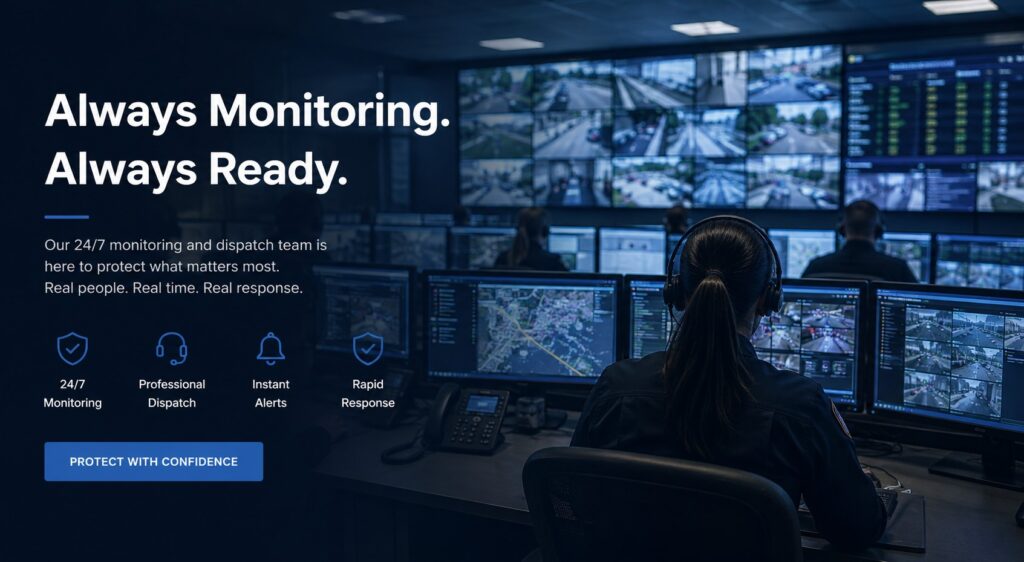
What Is 24/7 Alarm Monitoring?
A monitored commercial alarm system communicates security events to a professional monitoring center.
Depending on the system, monitored events may include:
- Intrusion alarms
- Door or window alarms
- Motion detection
- Panic or duress alarms
- Environmental conditions
- Equipment or system trouble conditions
- Certain fire or life-safety signals where applicable
When a qualifying alarm is received, monitoring personnel follow the response procedures established for the account.
These procedures can vary depending on the type of alarm, business requirements, local regulations, and the monitoring service being used.
How Commercial Alarm Monitoring Works
A typical monitoring process begins when a device detects an event.
For example, an intrusion system may detect an unauthorized door opening or motion within a protected area.
The system then communicates the alarm event through an available communication path to the monitoring center.
Depending on the account setup and event type, monitoring personnel may:
- Contact designated representatives
- Follow established verification procedures
- Notify appropriate emergency responders when required
- Document the event
- Escalate the event according to the customer’s instructions
The exact response sequence should be established when the monitoring account is created and reviewed as business needs change.
Alarm Communication Paths
Modern commercial alarm systems can communicate using several technologies.
Common communication methods include:
- Cellular
- Internet/IP
- Radio
- Dual-path communication
- Legacy telephone communication in some existing systems
Using more than one communication path can provide additional resilience when supported by the equipment and monitoring platform.
For example, a system may use both Internet and cellular communication so the alarm is not dependent on a single connection.
Why Communication Redundancy Matters
A security system is only useful if critical alarm events can reach the monitoring center.
Communication can potentially be interrupted by:
- Internet outages
- Equipment failures
- Power loss
- Damaged communication lines
- Network problems
- Service interruptions
Commercial systems may use backup communication paths to reduce dependence on a single connection.
The appropriate configuration depends on the property’s security requirements and available infrastructure.
Battery Backup
Most professional alarm systems include backup battery capacity designed to keep essential system components operating for a period of time after normal electrical power is lost.
Backup capability can be particularly important for:
- Warehouses
- Offices
- Retail properties
- Manufacturing facilities
- Municipal buildings
- Multi-tenant properties
- Facilities operating outside normal business hours
Battery condition should be periodically tested because backup batteries degrade over time.
Monitoring vs. Remote System Access
Professional monitoring and remote system access are related, but they are not the same service.
Professional Monitoring
Professional monitoring sends designated alarm events to a staffed monitoring center for response according to established procedures.
Remote Access
Remote access allows authorized users to interact with supported security systems through computers, smartphones, or other connected devices.
Depending on the system, users may be able to:
- Arm or disarm the alarm
- Review system status
- Receive notifications
- View event history
- Manage users
- Review supported cameras
- Control connected devices
Remote access can be useful, but it should not be confused with having trained operators receive and process alarm events.
Alarm Verification
False alarms can create unnecessary disruptions and, in some jurisdictions, may result in fees or enforcement issues.
Verification methods may help provide additional information before an event is escalated.
Depending on the system, verification can involve:
- Telephone verification
- Mobile notifications
- Video verification
- Multiple alarm signals
- User confirmation
- Other approved procedures
Video verification can be particularly useful where cameras and intrusion detection systems are integrated.
An alarm event may be associated with video from the area where the alarm occurred, providing additional context for authorized personnel or monitoring operators.
Commercial Monitoring and Integrated Security
Modern businesses increasingly combine professional alarm monitoring with other security technologies.
An integrated security environment may include:
- Intrusion alarms
- Video surveillance
- Access control
- Remote video monitoring
- Panic and duress systems
- Video analytics
- System health monitoring
Integration can provide more useful information than a stand-alone alarm signal.
For example, an alarm at a warehouse door may be supported by nearby camera footage and access control event data.
System Health Monitoring
Professional security management should also consider whether the security equipment itself is operating correctly.
System health monitoring may identify problems such as:
- Communication failures
- Cameras going offline
- Recorder faults
- Low batteries
- Network interruptions
- Device trouble conditions
- Storage problems
Identifying these conditions early can help reduce the risk of discovering a failure only after a security event.
Who Benefits From Professional Alarm Monitoring?
24/7 commercial monitoring may be useful for many types of organizations, including:
- Offices
- Retail businesses
- Warehouses
- Manufacturing plants
- Distribution facilities
- Commercial properties
- Schools and institutions
- Municipal facilities
- Multi-site organizations
- Equipment and contractor facilities
The appropriate monitoring strategy depends on the property’s operating hours, security risks, staffing, equipment, and response requirements.
Choosing a Commercial Monitoring Solution
Businesses evaluating monitoring services should consider:
- What events need to be monitored
- How alarm signals will communicate
- Whether redundant communication is appropriate
- Who should be contacted during an event
- Whether verification is required
- Whether cameras should be integrated
- How the system will operate during a power failure
- Whether remote user access is needed
- How multiple locations will be managed
- Whether system health should also be monitored
Monitoring should be planned as part of the overall commercial security system rather than treated as an afterthought.
Learn More About Commercial Security Monitoring
A professionally monitored security system can provide businesses with continuous alarm communication and an established response process when important security events occur.
For detailed information about commercial alarm monitoring, remote security services, alarm communications, video verification, upgrades, and integrated security systems, visit:
Northeast Remote Surveillance and Alarm, LLC – Commercial Security Monitoring
NERSA provides commercial and industrial security monitoring, system integration, upgrades, and managed security solutions throughout Pennsylvania and selected Mid-Atlantic markets.
1-888-344-3846